How to send to your Shopify or WooCommerce customers with a CSV export in BuzzBlaster
BuzzBlaster sends SMS to your Shopify or WooCommerce customers from a CSV file: export them in your shop admin, then upload the file to a campaign. It works with any shop that can export a customer list with phone numbers.
Before you begin: send SMS only to customers who agreed to get marketing messages from you. Keep only those rows in the file.
Export your customers from Shopify
- In the Shopify admin, go to Customers and click Export.
- Choose All customers, or the option for the customers that match your filter.
- Choose Plain CSV file and click Export customers.
- Shopify downloads the file, or emails it to you when you export more than 50 customers.
The Shopify file has a Phone column, a Default Address Phone column, a Default Address Country Code column and an Accepts SMS Marketing column (yes or no). Delete the rows where Accepts SMS Marketing is no before you upload.
Export your customers from WooCommerce
- In WordPress, go to WooCommerce → Customers.
- Set Show to All Customers and clear any search or filter.
- Click Download. A large list is prepared in the background and WooCommerce emails you a download link.
The WooCommerce file has a Billing phone and a Shipping phone column. Keep only the customers who agreed to SMS marketing.
Upload the file to BuzzBlaster
- On the Campaigns page, click New campaign and type a Campaign name.
- Choose From CSV file, drop your file on the box and click Create campaign.
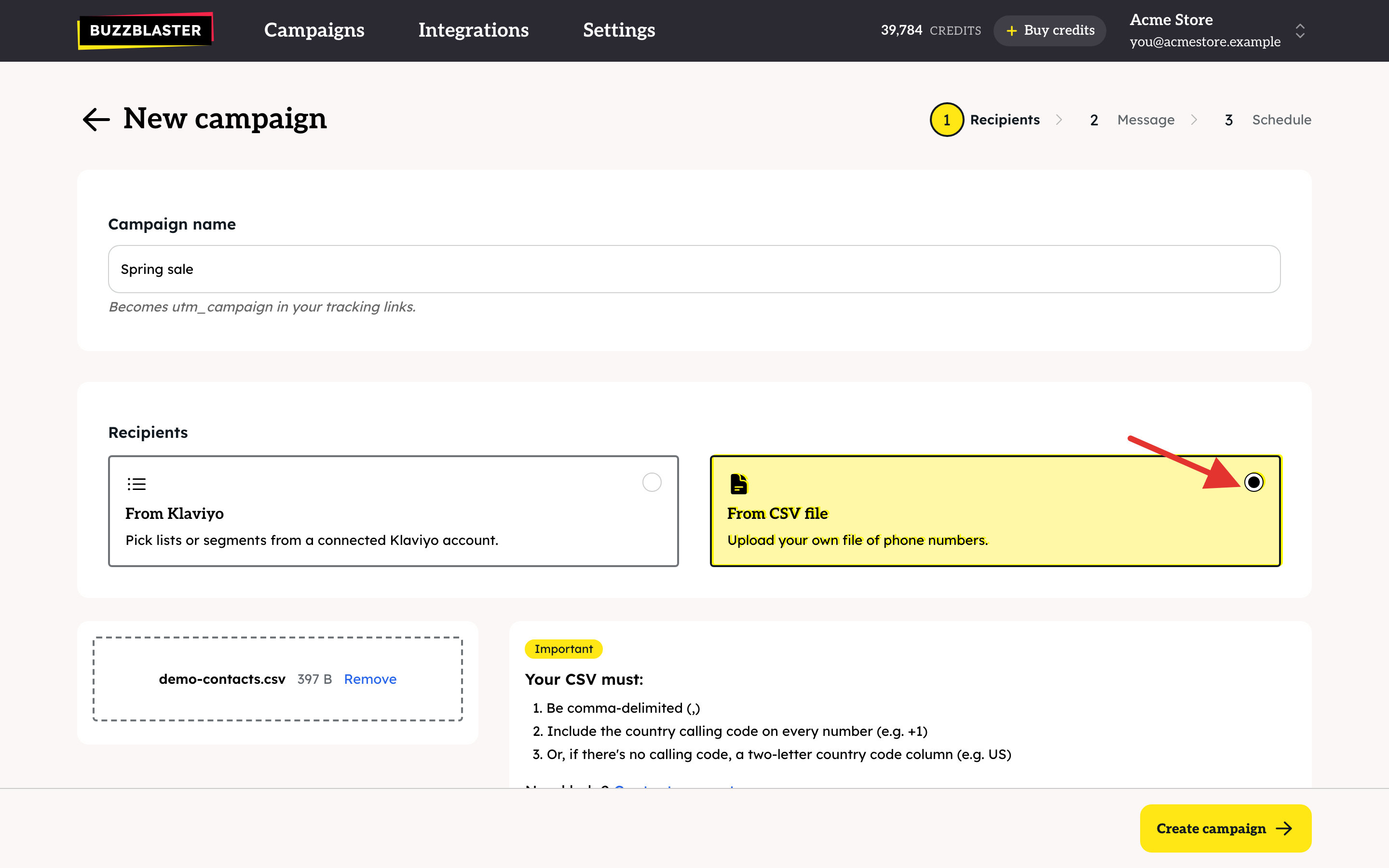
- On Columns in your file, set the phone column to Phone number: Phone for Shopify, Billing phone for WooCommerce.
- Set the country column to Country, for example Default Address Country Code in a Shopify file. Set the other columns to Don't import.
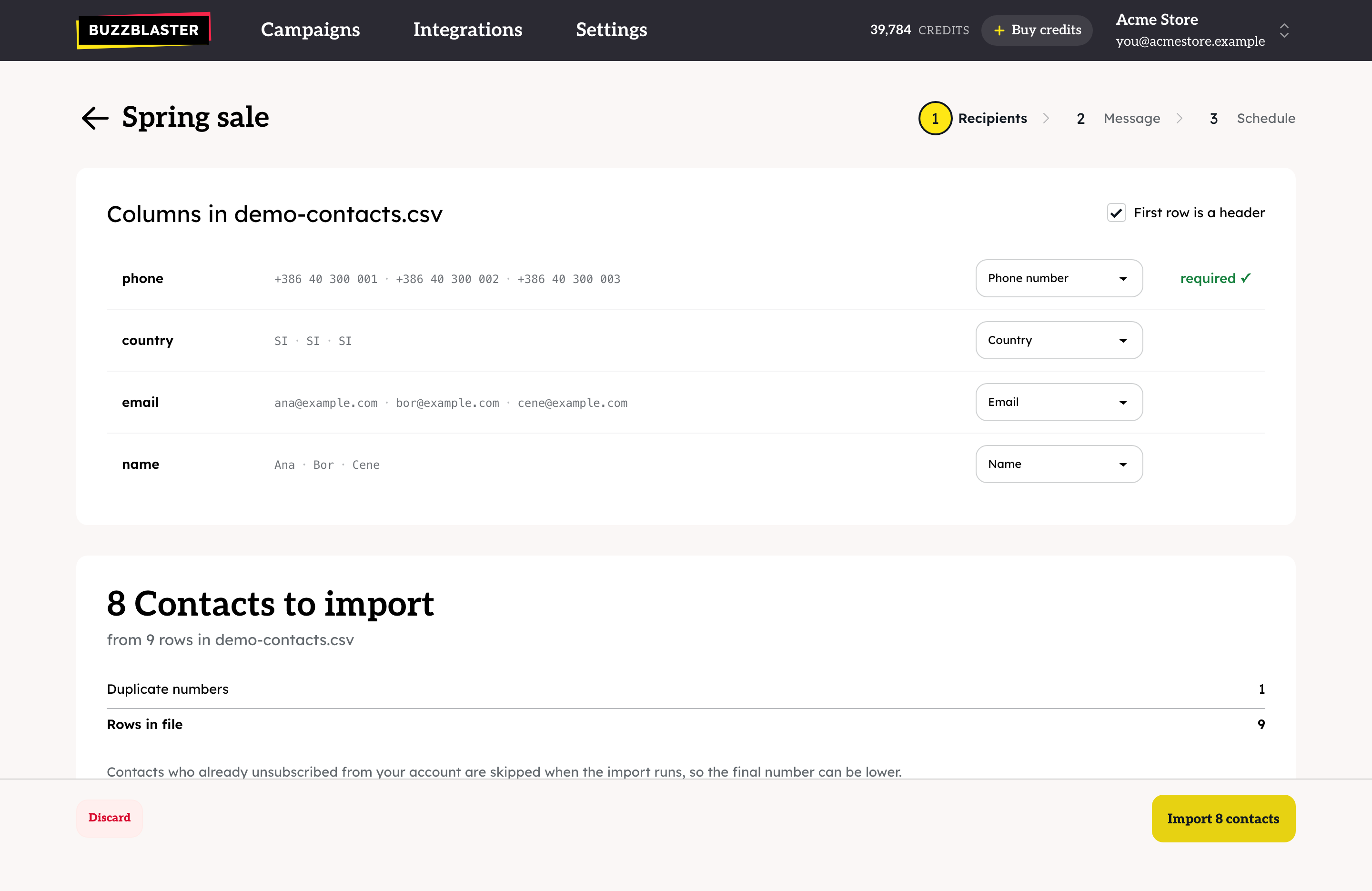
- Tick First row is a header, check Contacts to import, and click Import contacts.
Then write your message for each country and schedule the campaign. See How to send a bulk SMS campaign in BuzzBlaster.
Why does the country column matter?
Many customers type their number without a country code, for example 041 123 456. BuzzBlaster can read such a number only when the same row has the country. With the country column set, these customers are imported too.
Questions
Do I need to export again for every campaign? Yes. BuzzBlaster does not read your shop, so new customers appear only in a new export.
Will people who unsubscribed get my SMS? No. Anyone who tapped the Stop link in an earlier BuzzBlaster message is skipped, even if they are still in your export.
Still stuck? Email support@buzzblaster.io, or open the account menu (top right) and click Contact support.