How to delete an organization or change your login email in BuzzBlaster
To delete an organization in BuzzBlaster, contact support. To change your login email, invite the new address to your organization, then remove the old one. Neither has its own button in the app.
Change your login email
You log in with an email link or a Google account, so a new address only needs to join your organizations.
- Click Settings, then Team, and click Invite teammate.
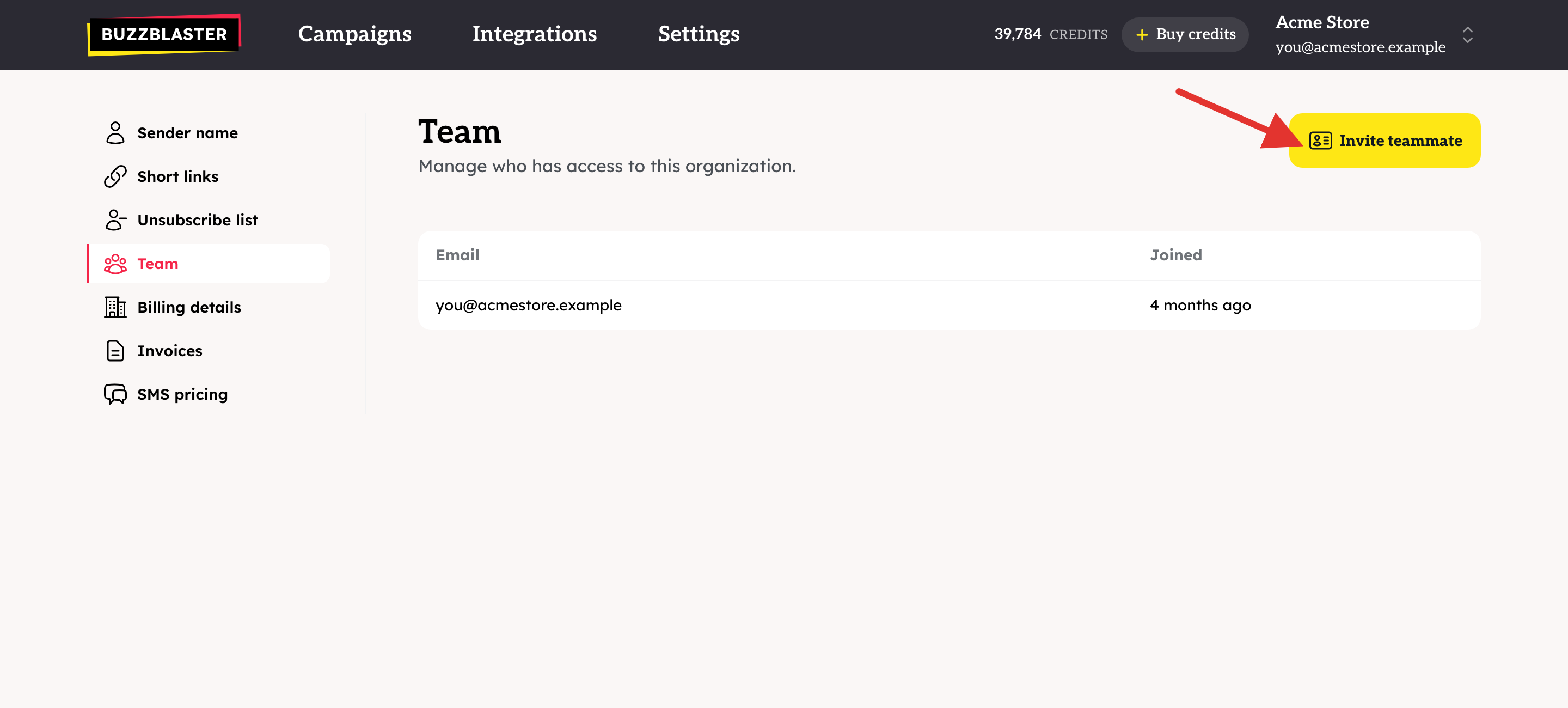
- Type the new email address and click Send invite.
- Open the invitation email at the new address and click Accept invitation.
- Log in with the new address. On Settings → Team, click Remove next to the old address.
- Do this in every organization you belong to. Use the organization menu in the top right corner to switch between them.
Campaigns, credits, sender name and invoices belong to the organization, not to your login, so nothing is lost.
Delete an organization
- Open the account menu in the top right corner and click Contact support.
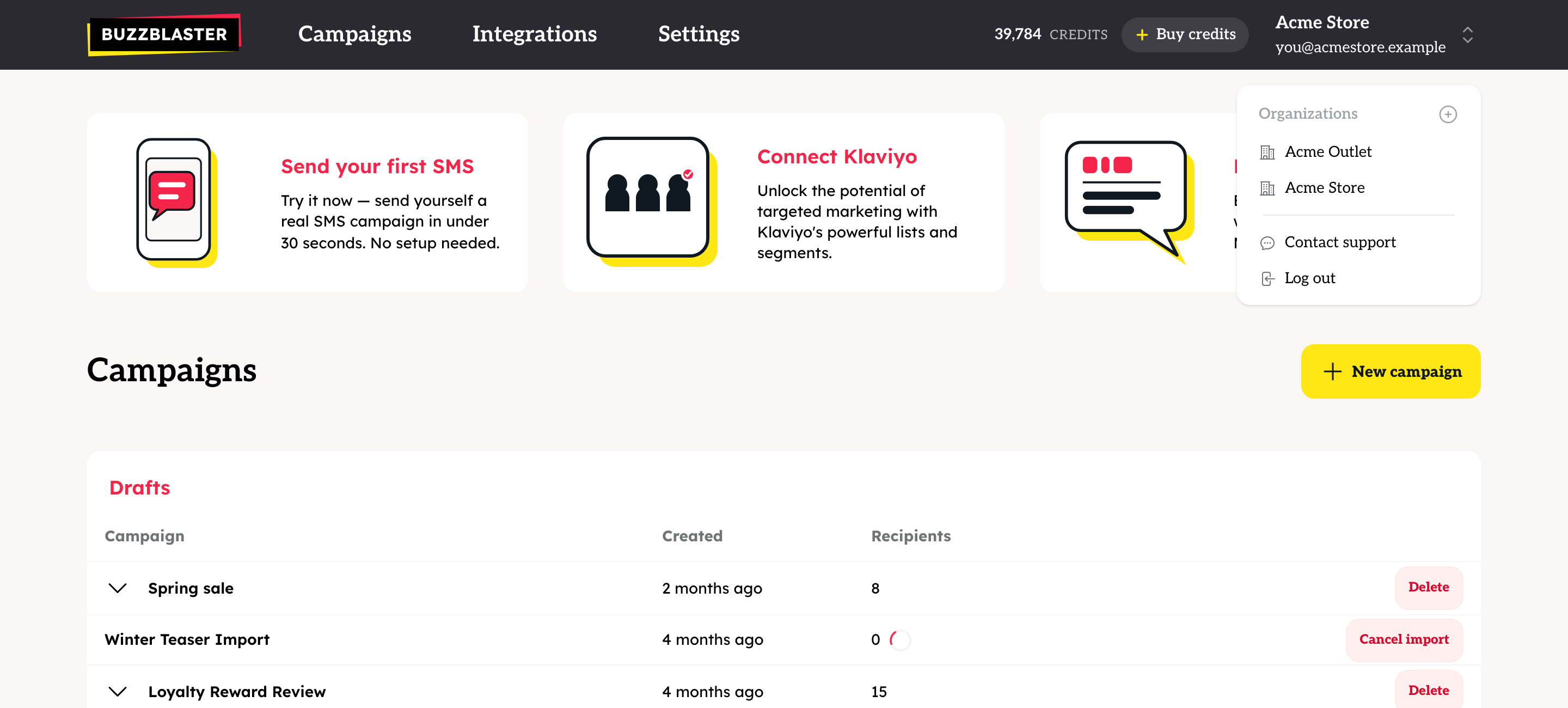
- Write which organization you want deleted, and send the message from an address that is a member of it.
You can also email support@buzzblaster.io.
What happens to my credits?
Credits belong to one organization and are not paid back as money. Use them before you ask for the deletion. Credits do not move to another organization by themselves.
Questions
Can I rename an organization? Not in the app. Contact support with the old and the new name.
I only want to stop using BuzzBlaster for now. You do not need to delete anything. There is no monthly fee, so an unused organization costs nothing.
A teammate left the company. On Settings → Team, click Remove next to their address. The last member of an organization cannot be removed.
Still stuck? Email support@buzzblaster.io, or open the account menu (top right) and click Contact support.