How to buy SMS credits and check what a campaign costs in BuzzBlaster
BuzzBlaster has no monthly fee: you buy prepaid SMS credits under Buy credits, and the Schedule step shows what each campaign costs before you pay. A message costs a number of credits that depends on the country and on the number of SMS parts.
Before you begin: fill in Settings → Billing details. Your invoice needs them, and you cannot buy credits without them. See How to add billing details and a VAT ID, and download invoices in BuzzBlaster.
How much does an SMS cost?
- Each SMS part sent to one recipient costs a number of credits that depends on the recipient's country. See every country in Settings → SMS pricing.
- Long messages and messages with emoji or special letters use more parts. See How to stay within the SMS character limit in BuzzBlaster.
- You see the exact cost per country and in total on the Schedule step, before you pay anything.
Buy credits
- Click Buy credits in the top bar.
- Pick a pack of 500, 2,000 or 10,000 credits, or type a Custom amount from 100 to 400,000. The price is shown before VAT.
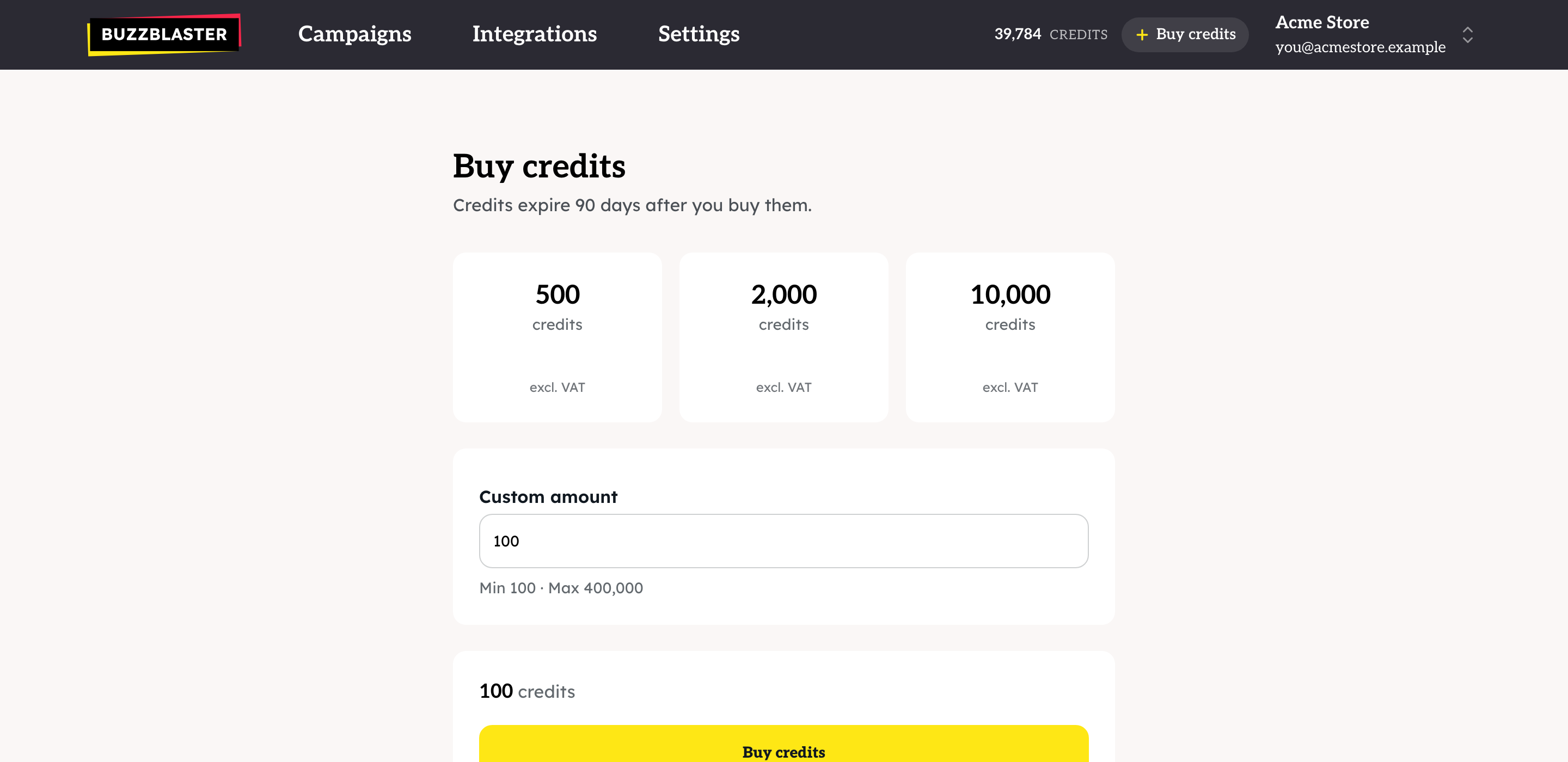
- Click Buy credits. You pay on the secure Stripe payment page.
- After paying you see "Payment received". The credits are usually in your balance within seconds.
Buy while you schedule
If your balance is too low on the Schedule step, the heading changes to Credits needed and you see a Buy button for the missing amount. After paying you come back to the campaign and click Schedule campaign.
When are credits used and returned?
| What happens | Credits | Valid for |
|---|---|---|
| You buy credits | Added to your balance | 90 days |
| You schedule a campaign or click Send now | The full cost is taken | |
| You click Cancel send before sending starts | All of it comes back at once | 30 days |
| A campaign finishes, or you stop it, and some messages were skipped or never sent | Those credits come back after the campaign finishes | No expiry |
Credits expire. Credits you buy are valid for 90 days. Buy what you plan to send in the next three months.
Can I get a refund?
Payments for credits are not refunded as money, and unused credits are not paid out (Terms of Service, section 12.5). Credits for messages that were not sent come back to your balance, as the table above shows. A message with an unclear result stays charged.
Questions
Where do I see my balance? At the top right of every page.
"Your bank is taking longer than usual." The bank has not confirmed the payment yet. The credits are added when it does. Do not pay twice.
"Payment did not go through." Nothing was charged. If you still need credits, contact support before you pay again.
Can I move credits to another organization? Credits belong to one organization and do not move by themselves. Contact support.
Still stuck? Email support@buzzblaster.io, or open the account menu (top right) and click Contact support.