How to schedule, cancel or stop an SMS campaign in BuzzBlaster
To schedule an SMS campaign in BuzzBlaster, pick a date and a time in the recipient's local time on the Schedule step, then click Schedule campaign. Until sending starts, Cancel send gives all credits back.
Before you begin: write a message for at least one country, then click Schedule campaign on the Message step.
Schedule a campaign
- Under When to send, choose Schedule for later or Send now.
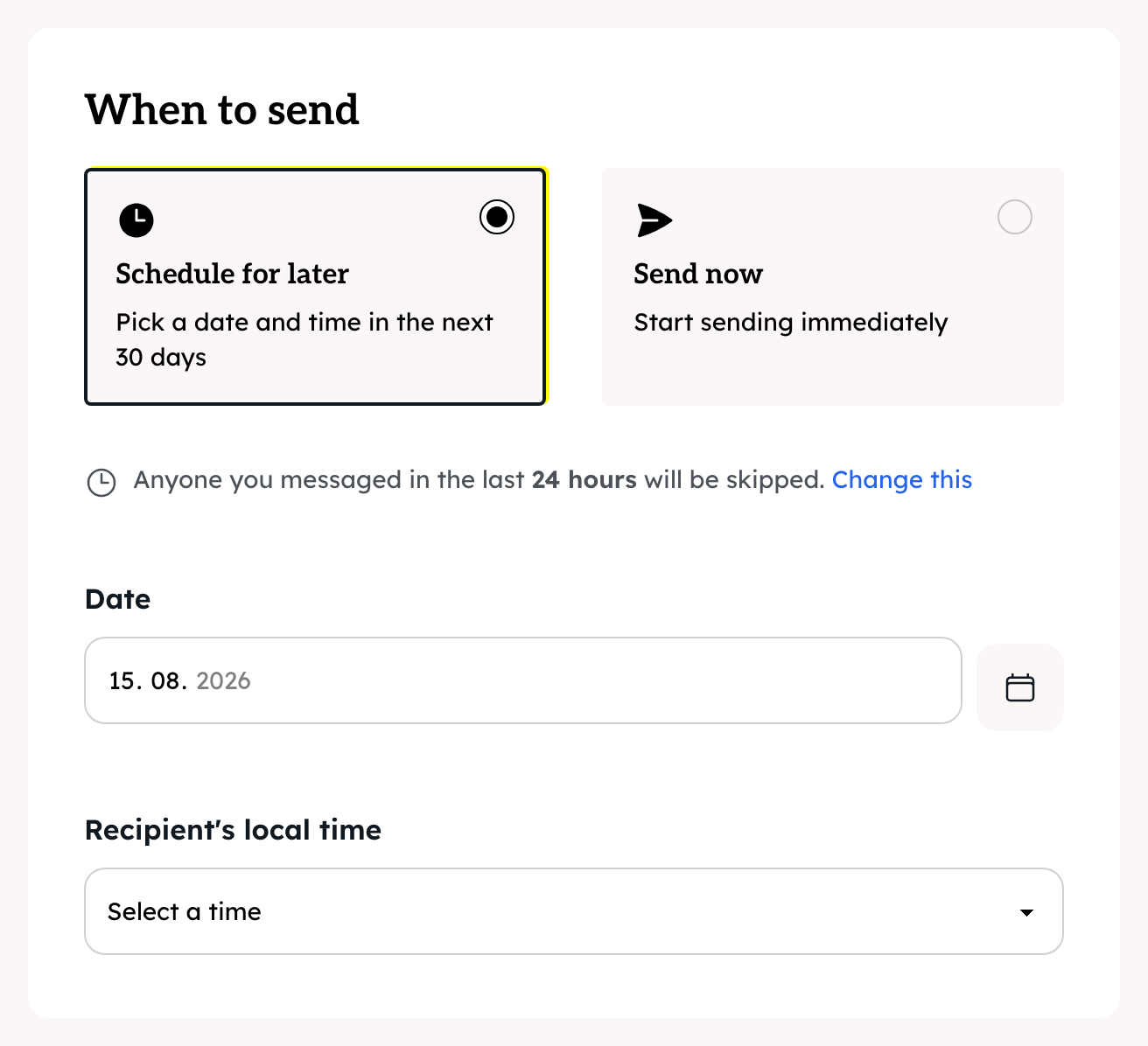
- For later: pick a Date within the next 30 days and a time under Recipient's local time.
- Check the cost table: credits for each country and the total.
- Click Schedule campaign, or Send campaign now.
The credits are taken from your balance at this moment, and the campaign moves to the Scheduled list.
Which hours can I send?
The time picker runs from 08:00 to 20:00 in 30-minute steps, in each recipient's local time. A 10:30 send reaches every country at 10:30 for them. Send now sends at once, whatever the hour.
When is a good time to send?
- The Schedule step suggests weekdays 10:00 to 11:30, 13:00 to 14:30 and 16:00 to 17:30 as good starting windows.
- It suggests avoiding Friday 16:00 to Monday 12:30. You can still pick that time.
- If the time falls on a clock change in some country, an orange box explains which time is used. Click Schedule campaign again to confirm.
Who is skipped?
People who unsubscribed, and people your organization messaged in the last 24 hours. Click Change this under the time picker to change the hours. See How to skip contacts you messaged recently in BuzzBlaster.
Cancel a scheduled campaign
- On the Campaigns page, find the campaign in the Scheduled list.
- Click Cancel send.

All the credits for that campaign come back, valid for 30 days. The campaign goes back to Drafts, so you can edit it and schedule it again.
Stop a campaign that is sending
While a campaign is sending, click Stop in the Sent list. Messages already sent cannot be recalled. The campaign shows Stopped, and the credits for messages that did not go out come back after a few minutes.
Good to know
- When a campaign finishes, credits for skipped or unsent messages come back by themselves. A message with an unclear result is not refunded automatically.
- Delete a draft with Delete in the Drafts list. This cannot be undone.
Questions
Cancel send is missing. The campaign has already started sending. Use Stop instead.
"That time has already passed in at least one country." Pick a later time, or Send now.
"This organization is on hold." or "This organization has an outstanding balance." Sending is paused for your organization. Contact support.
My campaign is scheduled but nothing happened. See How to fix a scheduled campaign that has not started sending in BuzzBlaster.
Still stuck? Email support@buzzblaster.io, or open the account menu (top right) and click Contact support.