How to invite your team and manage organizations in BuzzBlaster
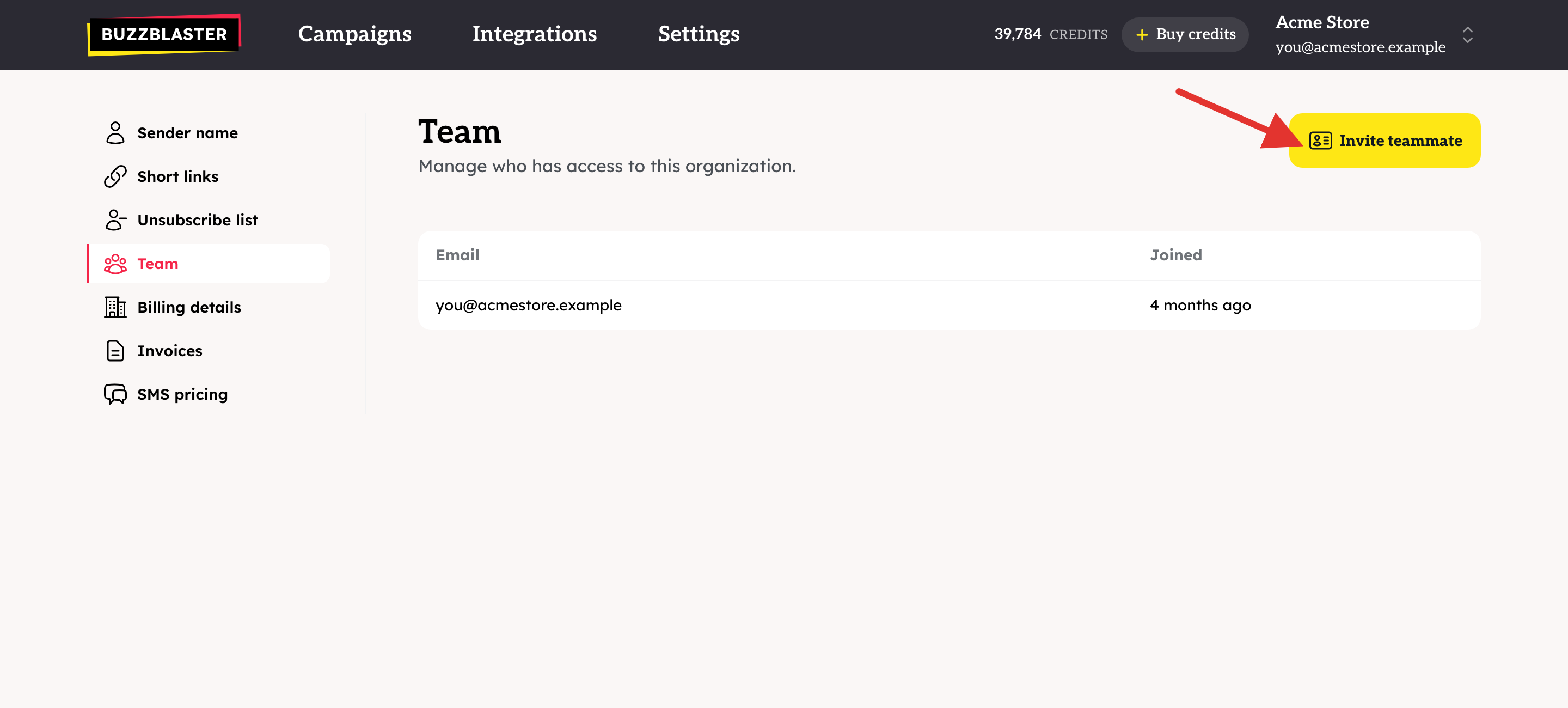
To invite your team in BuzzBlaster, open Settings → Team, click Invite teammate and type their email. Each teammate logs in with their own email and sees the same campaigns, credits and settings. Inviting teammates is free.
Before you begin: you need the exact email address your teammate will log in with.
Invite a teammate
- Click Settings in the top bar, then Team.
- Click Invite teammate.
- Type their email address and click Send invite.
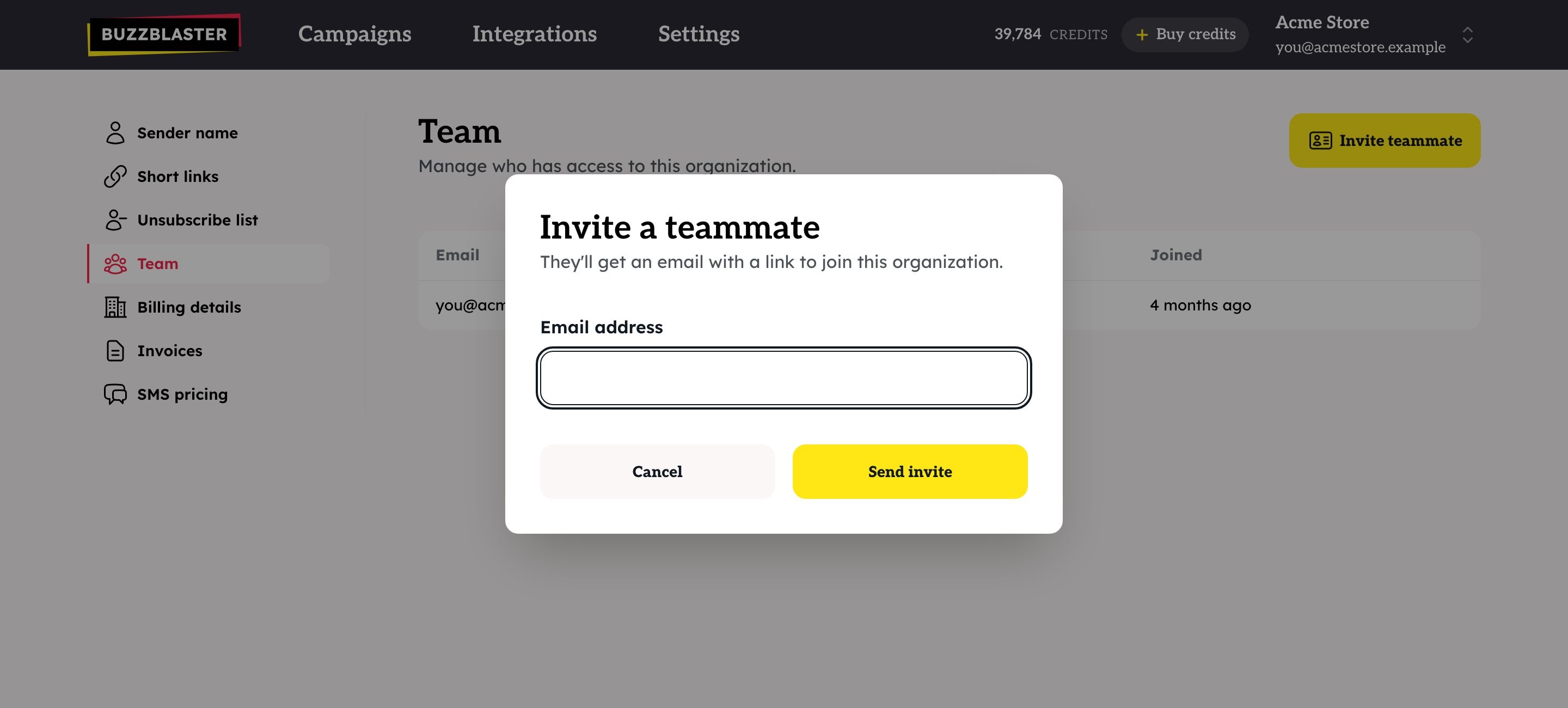
- Your teammate gets an email. They open the link and click Accept invitation.
Pending invitations are listed below your members. Click Revoke to cancel one. To take someone out of the organization, click Remove next to their name.
How do I work with more than one organization?
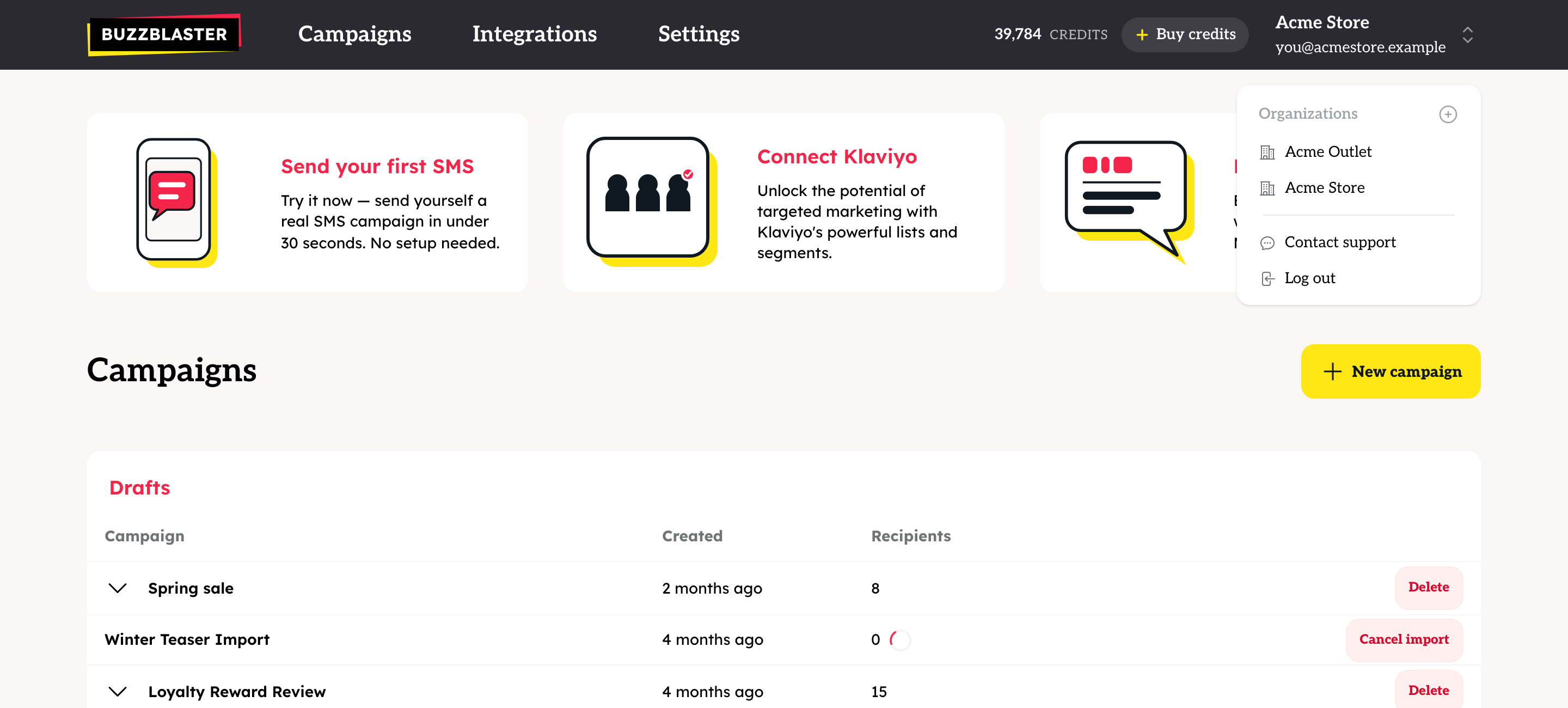
An organization is one shop or company. Each has its own campaigns, credits, sender name and invoices. One login can belong to several organizations, for example when you run more than one shop.
- Click your organization name in the top right corner.
- Pick another organization from the list to switch to it, or click the + icon to create a new one.
Good to know
- An invitation link stays valid for 7 days.
- Everyone in the team has the same access. There are no separate roles.
- The last member of an organization cannot be removed.
- Credits belong to one organization. They do not move to another organization by themselves.
Questions
My teammate sees "This invitation has expired". The link is older than 7 days. Send a new invitation.
I see "Already invited" or "Already member". That email address is already in the list.
I want to delete an organization or change my login email. See How to delete an organization or change your login email in BuzzBlaster.
Still stuck? Email support@buzzblaster.io, or open the account menu (top right) and click Contact support.