How to connect Klaviyo and send SMS to Klaviyo lists and segments in BuzzBlaster
To send SMS to a Klaviyo list or segment with BuzzBlaster, add a read-only Klaviyo API key under Integrations, then pick the list in a new campaign. BuzzBlaster only reads lists, segments and phone numbers. It never changes anything in Klaviyo.
Before you begin: you need a Klaviyo login that can create private API keys.
Connect Klaviyo
- Click Integrations in the top bar, then Connect Klaviyo.
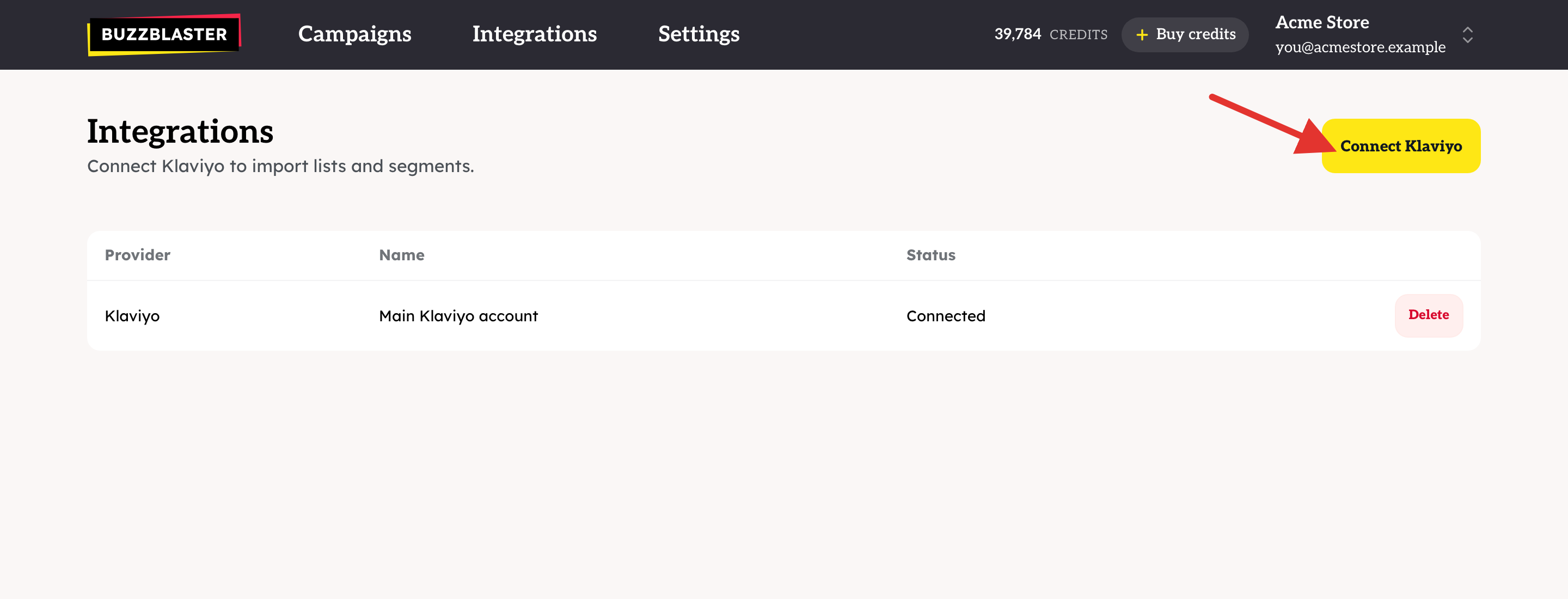
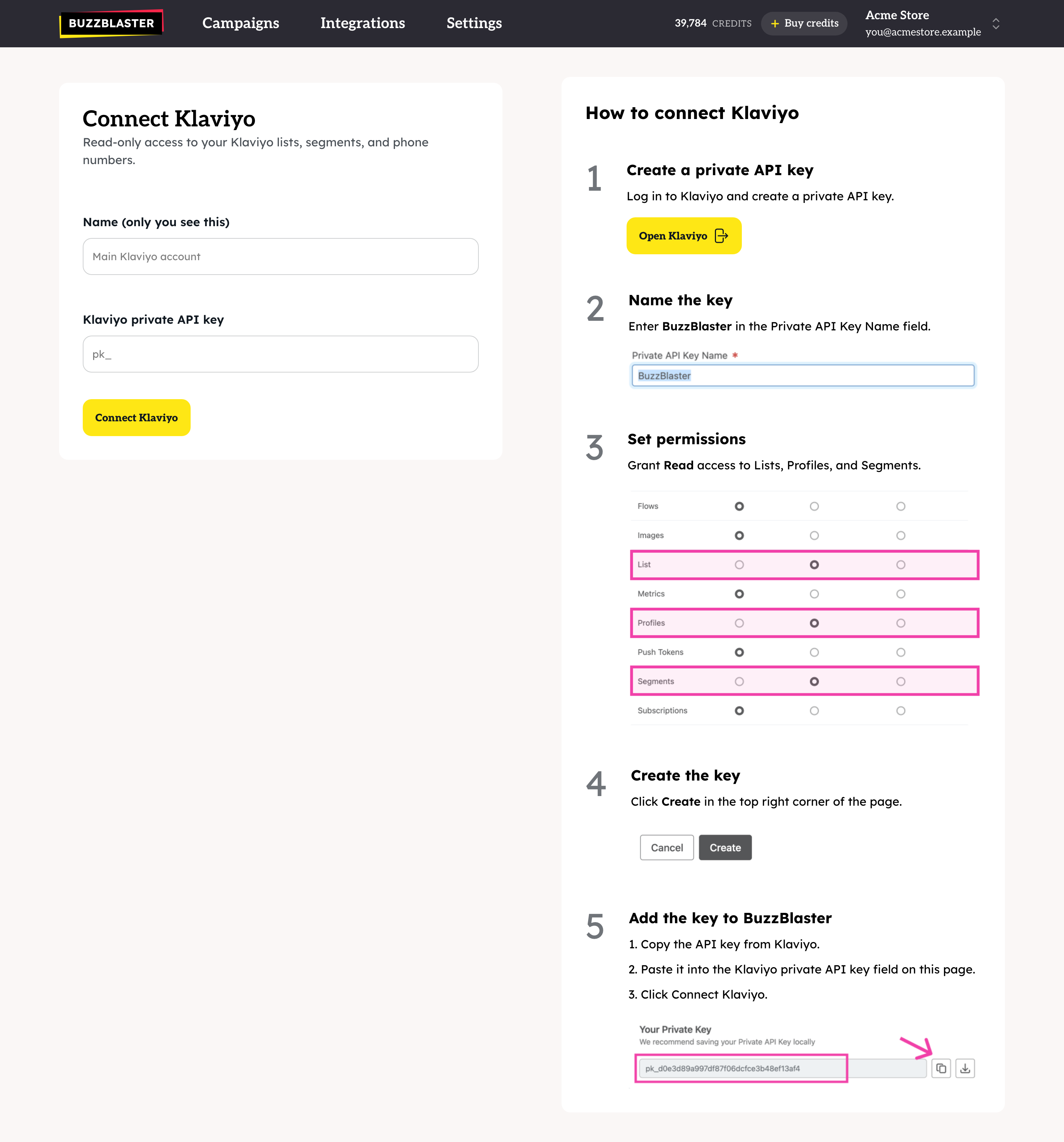
- Click Open Klaviyo and create a private API key there.
- Name the key BuzzBlaster.
- Give it Read access to Lists, Profiles and Segments. Click Create and copy the key.
- Back in BuzzBlaster, paste the key into Klaviyo private API key. Give the connection a name, for example "Main Klaviyo account", and click Connect Klaviyo.
The connection appears on the Integrations page with the status Connected.
Send to a list or segment
- On the Campaigns page, click New campaign.
- Choose From Klaviyo.
- Click Load from Klaviyo to get your latest lists and segments. Do this again after you create new ones in Klaviyo.
- Search and pick one or more lists or segments, then click Create campaign.
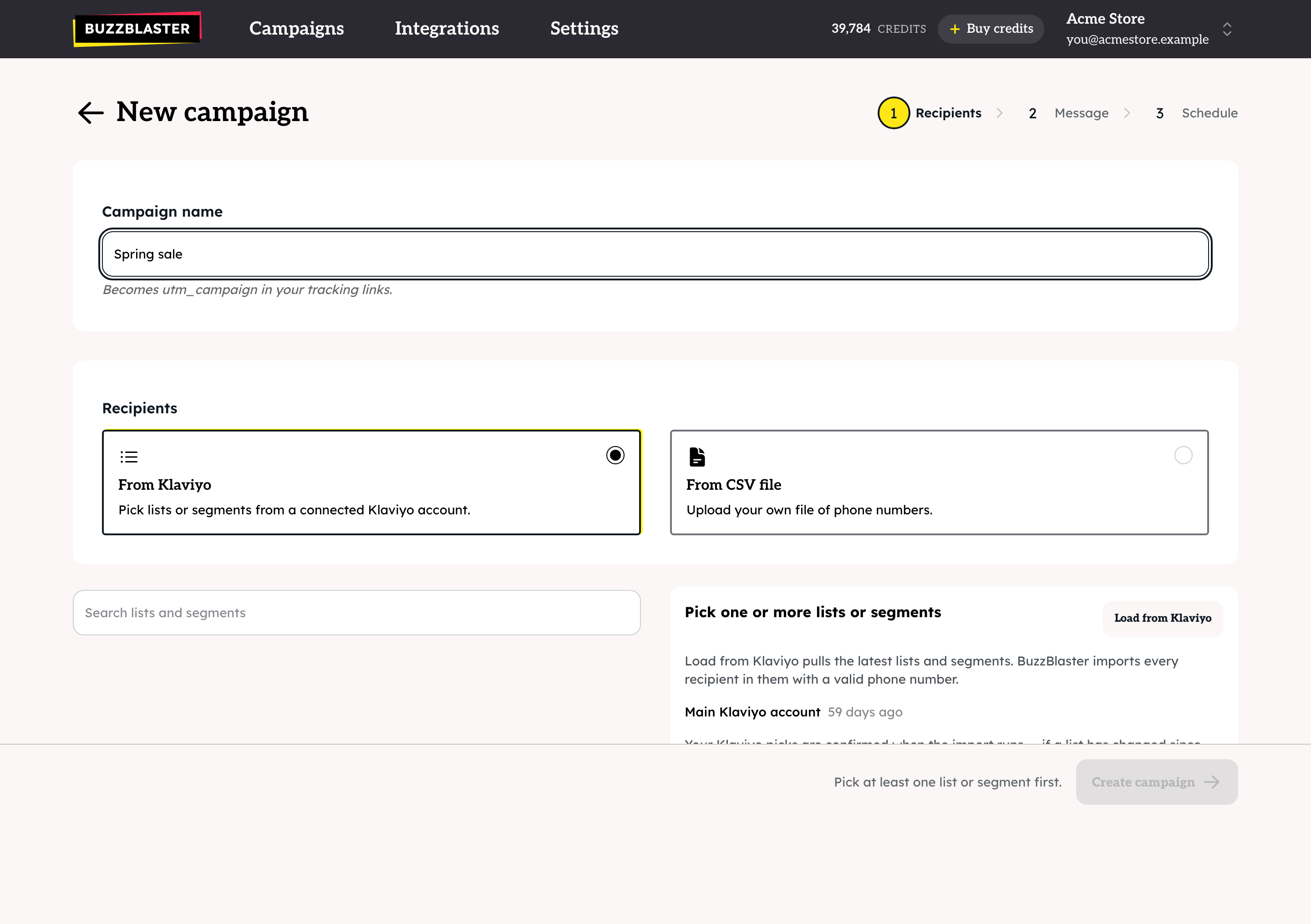
BuzzBlaster imports every person with a valid phone number and groups them by country. Then you write one message per country. See How to send a bulk SMS campaign in BuzzBlaster.
Does BuzzBlaster change anything in Klaviyo?
No. The key only has Read access. BuzzBlaster does not add profiles, change consent or write unsubscribes to Klaviyo.
Does BuzzBlaster respect Klaviyo SMS consent?
It does not read it. Pick a segment that holds only people who can receive SMS marketing, and add your Klaviyo SMS unsubscribes to BuzzBlaster. See How to add your Klaviyo SMS unsubscribes to BuzzBlaster.
Good to know
- You can connect more than one Klaviyo account. Each one gets its own row, and the campaign page shows lists from all of them.
- Profiles without a valid phone number are not imported.
- People who unsubscribed through a BuzzBlaster Stop link are skipped, even if they are still in your Klaviyo list.
- Klaviyo is the only direct connection. For any other source, export a CSV file. See How to import phone numbers from a CSV file in BuzzBlaster.
Questions
No lists show up. Click Load from Klaviyo. If the list stays empty, check that the Klaviyo account has lists or segments.
"BuzzBlaster can't use this Klaviyo key any more" The key was deleted or lost its Read access. Delete the connection on the Integrations page and add a new key.
"Klaviyo is rate-limiting us" Wait a few minutes. The list loads by itself.
Fewer people than in Klaviyo. Only profiles with a valid mobile number from a supported country are imported, and unsubscribed numbers are skipped.
Still stuck? Email support@buzzblaster.io, or open the account menu (top right) and click Contact support.