How to manage SMS unsubscribes and the Stop link in BuzzBlaster
BuzzBlaster adds a Stop link to every SMS, and everyone who unsubscribes goes on your unsubscribe list, where you can also add numbers yourself. Numbers on the list never get a campaign from your organization again.
How do people unsubscribe?
Every message ends with a line Stop and a personal link. Tapping it opens a page that asks the recipient to confirm. After they click Unsubscribe, they see "You have successfully unsubscribed." and their number is added to your list. The Stop line is required by law and cannot be removed.
How do numbers get on the list?
- A recipient taps the Stop link and confirms.
- You add a number by hand, for example when a customer asks by email or phone.
- You upload a CSV file of numbers, for example unsubscribes from a tool you used before.
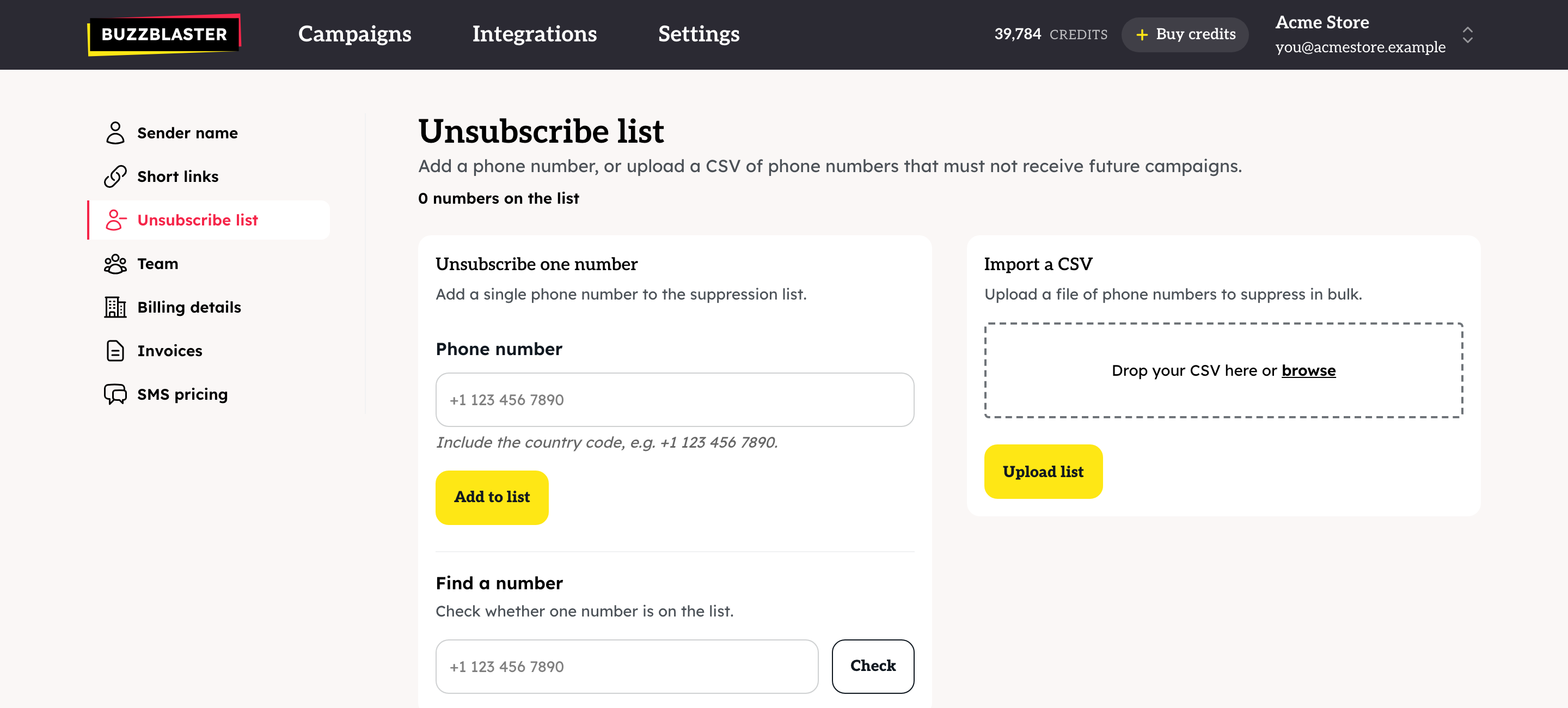
Add one number
- Click Settings, then Unsubscribe list.
- Under Unsubscribe one number, type the number with its country code, for example +44 7400 123456.
- Click Add to list.
Check a number
Under Find a number, type the number and click Check. The answer says whether it is on the list and since when.
Upload a CSV file
- Under Import a CSV, drag a CSV file of phone numbers onto the box or click browse. The limit is 5 MB.
- Click Upload list.
- The page shows how many numbers were accepted and rejected. Click Download rejected rows to see the lines that could not be read.
Does BuzzBlaster share unsubscribes with Klaviyo?
No. BuzzBlaster never writes to Klaviyo and does not read SMS consent from it. See How to add your Klaviyo SMS unsubscribes to BuzzBlaster.
Good to know
- The list belongs to one organization. If you run several organizations, upload it to each one.
- The page header shows how many numbers are on the list.
- Unsubscribed numbers are left out of every campaign, even when they are in your Klaviyo list or CSV file.
- Send only to people who agreed to get SMS marketing from you.
Questions
A customer says they still get messages. Use Find a number with the exact number and country code. If it is not on the list, add it.
"We couldn't find any phone numbers in that file." Save the file as CSV with one phone number per row.
Can I get a copy of my unsubscribe list? Contact support and tell us which organization and countries you need.
Still stuck? Email support@buzzblaster.io, or open the account menu (top right) and click Contact support.