How to send your first SMS with the demo campaign in BuzzBlaster
The BuzzBlaster demo campaign sends a real SMS campaign to your own phone: click Send your first SMS, type your number, and schedule it. It is the fastest way to see the whole flow, from the message box to the report.
Before you begin: the demo is a real campaign, so it uses credits. Fill in Settings → Billing details so you can buy credits if your balance is empty.
Create the demo campaign
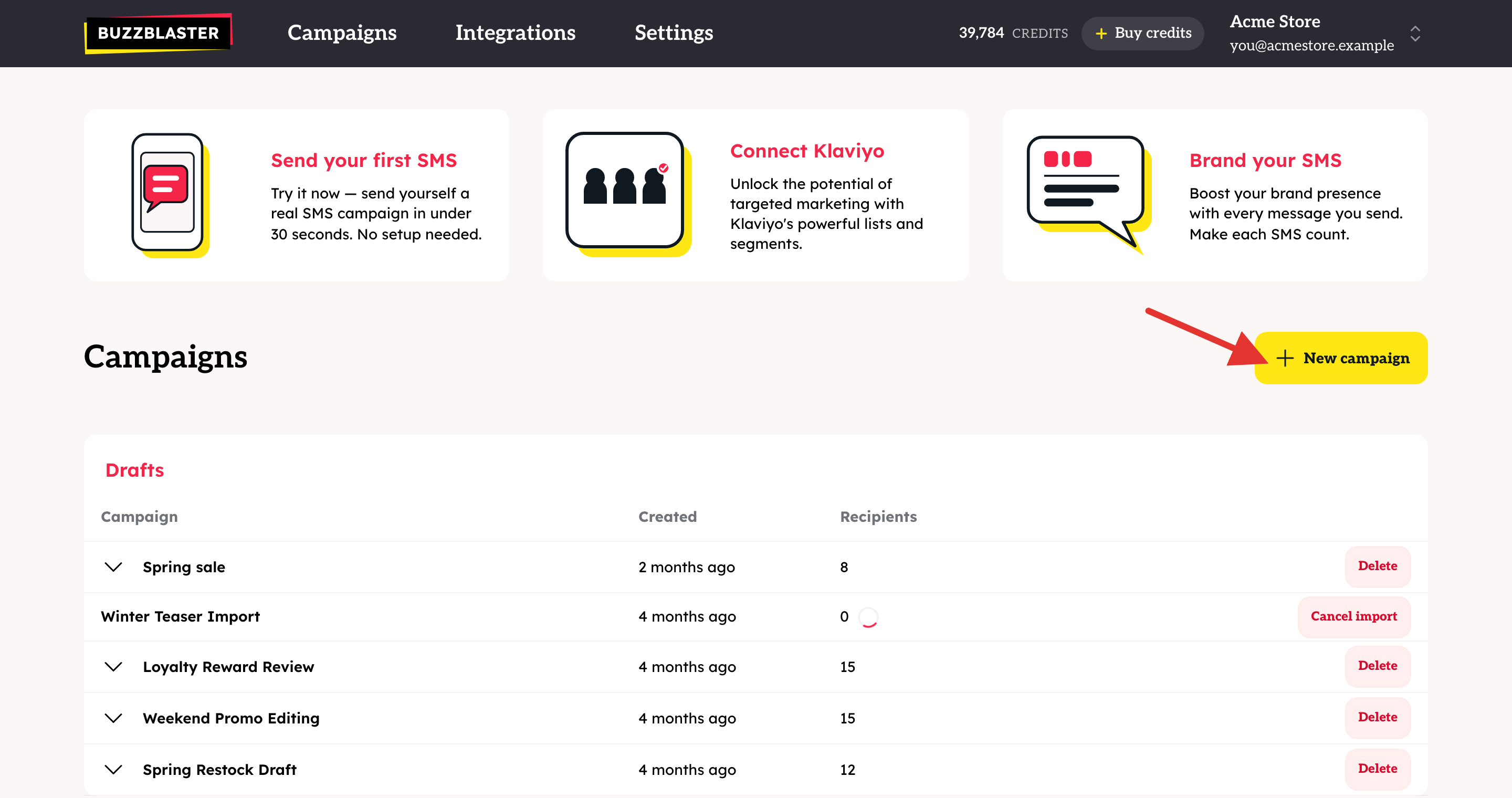
- On the Campaigns page, click the Send your first SMS card.
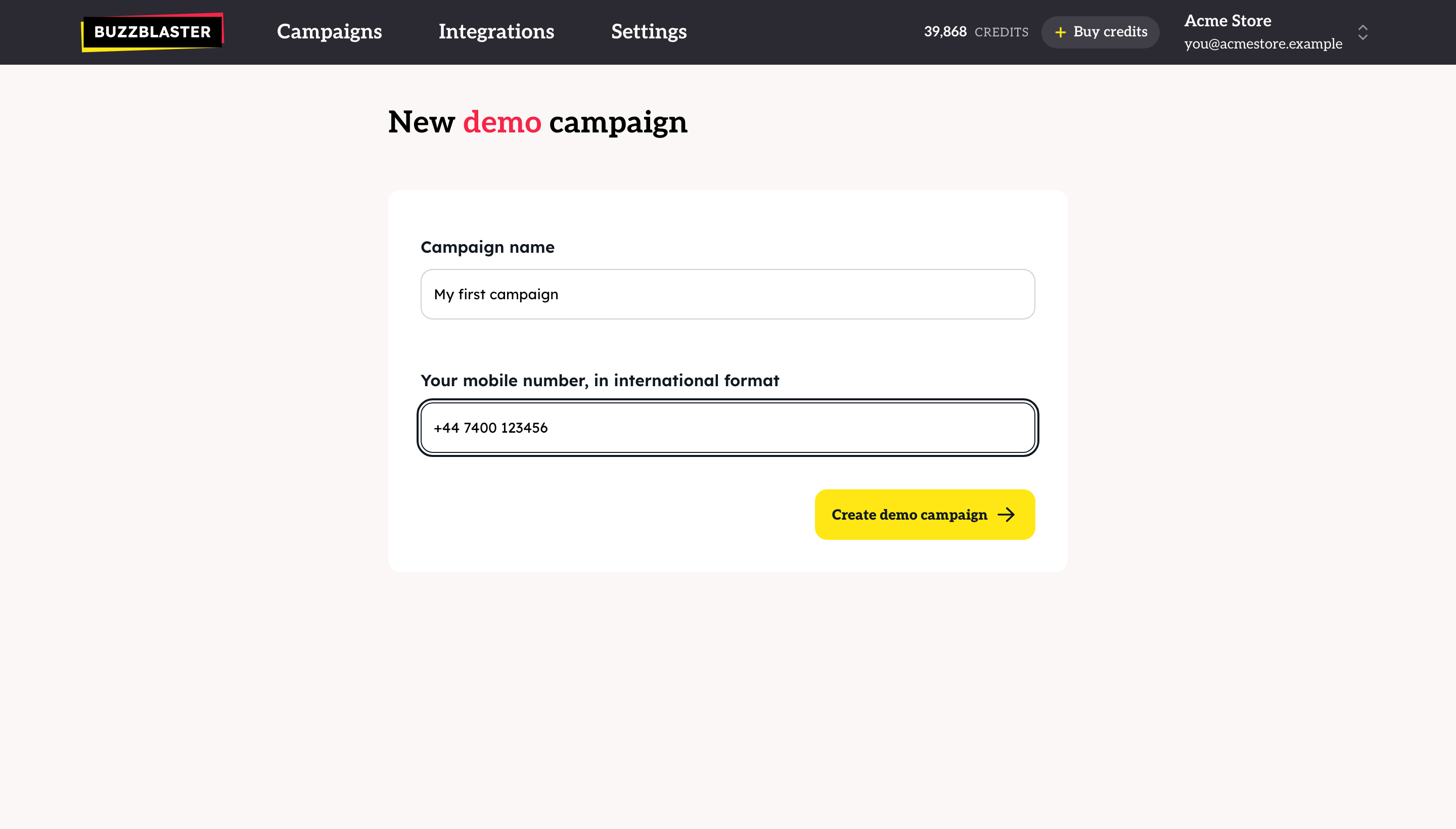
- On New demo campaign, keep the Campaign name "My first campaign" or type your own.
- Under Your mobile number, in international format, type your number with the country code, for example +44 7400 123456.
- Click Create demo campaign.
Send it
- The Message step opens with a ready-made text and a link. You can change the text. The phone preview shows what you will get.
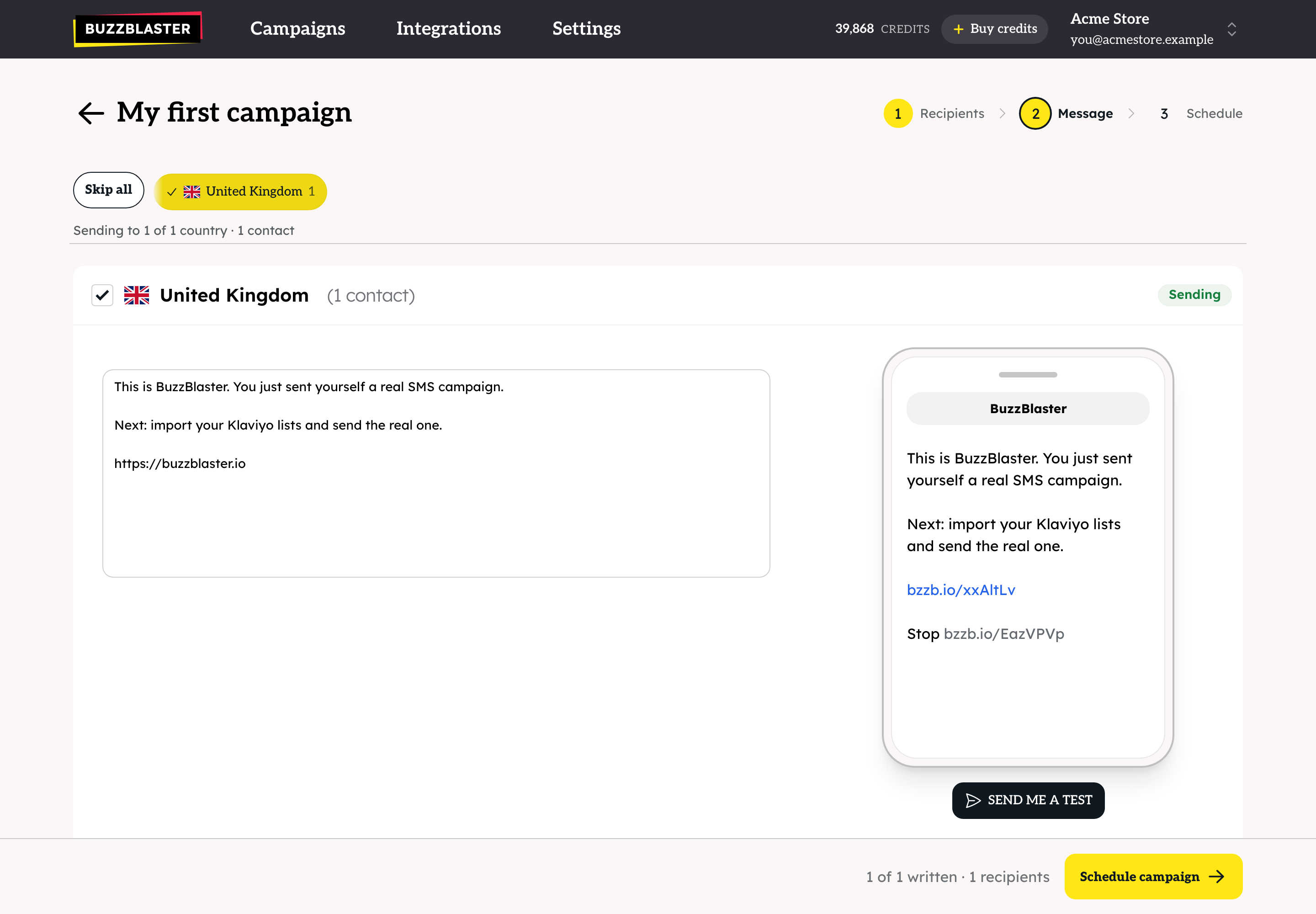
- Click Schedule campaign.
- On the Schedule step, choose Send now, check the cost, and click Send campaign now. If your balance is too low, click Buy first.
The SMS arrives on your phone. Open the campaign from the Sent list to see the report, and tap the link to see your click counted.
How is the demo different from a test SMS?
| Demo campaign | Test SMS | |
|---|---|---|
| What it is | A real campaign with one recipient: you | A preview of one country's message |
| Cost | Credits, like any campaign | 3 free tests per account |
| Shows a report | Yes | No |
| Where | Send your first SMS card | Send me a test on the Message step |
Questions
"That number isn't a mobile. Enter a mobile number that can receive SMS." Type a mobile number, not a landline, with the country code in front.
"BuzzBlaster doesn't send to that country yet. Try another number." Your number is from a country outside the 29 BuzzBlaster sends to. See How to check which countries you can send SMS to with BuzzBlaster.
The demo did not arrive at once. A new organization's first campaigns get a one-time check before they send. See How to fix a scheduled campaign that has not started sending in BuzzBlaster.
Still stuck? Email support@buzzblaster.io, or open the account menu (top right) and click Contact support.