How to send a test SMS to your phone in BuzzBlaster
To send a test SMS in BuzzBlaster, click Send me a test under the phone preview, verify your mobile number once, and click Send message. The test is a real SMS to your own phone, so you can check the text, the sender and the link. A new account has 3 free tests.
Before you begin: write the message on the Message step and keep your mobile phone close.
Send a test
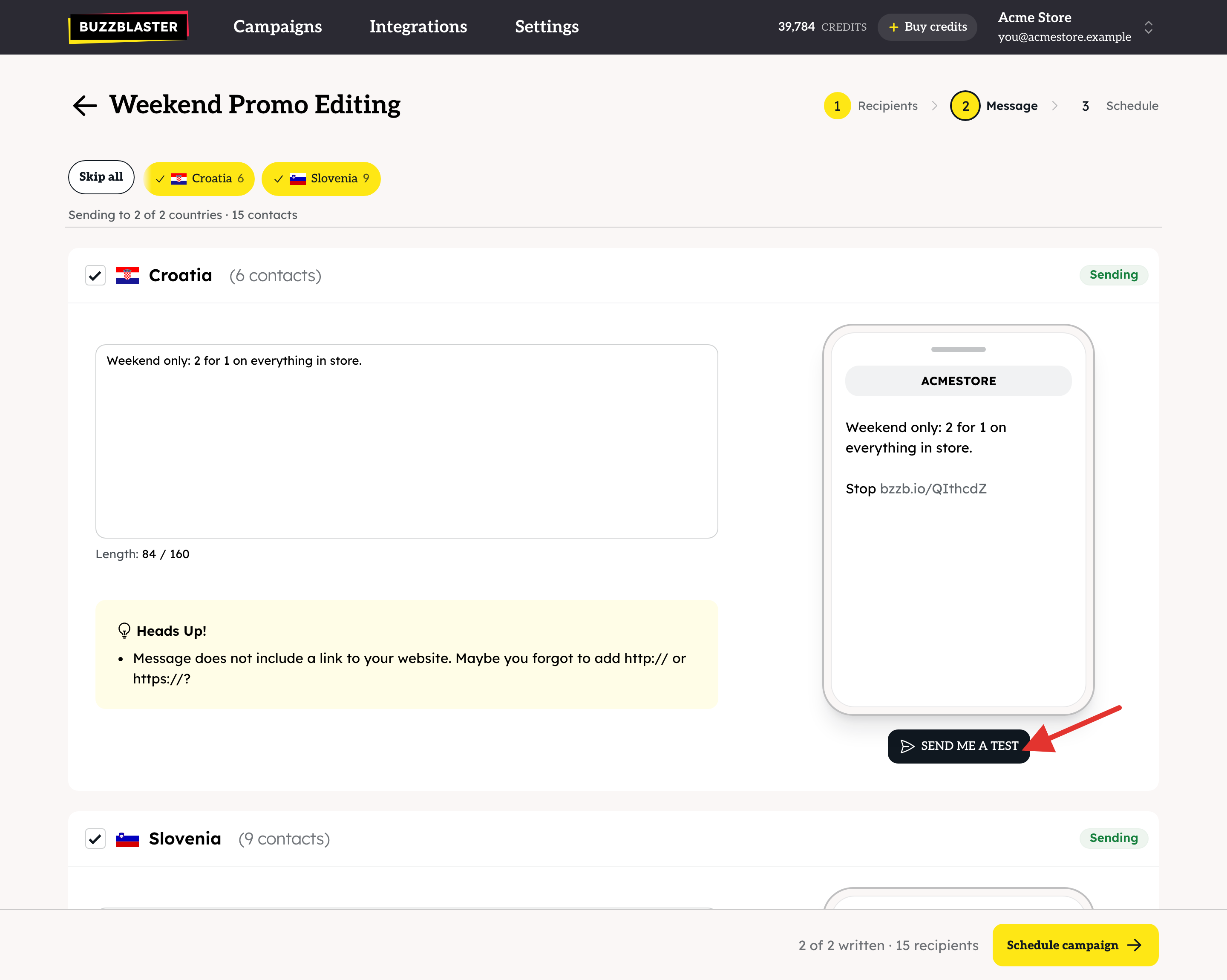
- On the Message step, click Send me a test under the phone preview of the country you want to test.
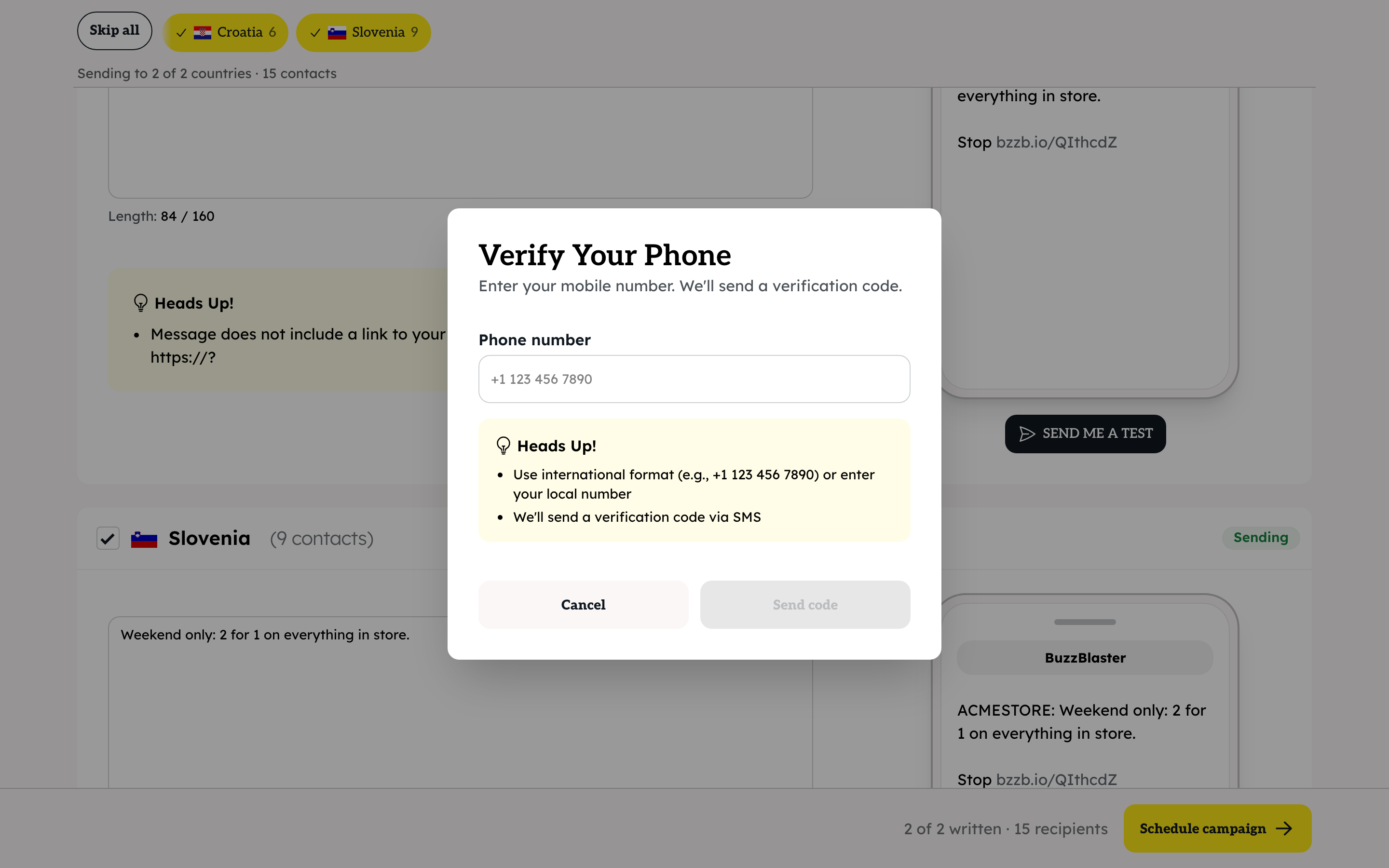
- The first time, BuzzBlaster asks you to Verify Your Phone. Type your mobile number in international format, for example +44 7400 123456, and click Send code.
- Type the code from the SMS and click Verify.
- Click Send message. You see "Test Sent". The SMS can take a moment to arrive.
How many test SMS are free?
3, once per account. Once our team has approved your organization for sending, test messages no longer count against the 3 free tests.
What can I check with a test?
- The text and its length, as one SMS or several parts.
- The sender name your customers see. In some countries your name is also added to the text. See How to set your SMS sender name (sender ID) in BuzzBlaster.
- The short link: tap it to check it opens the right page.
- The Stop line at the end.
Good to know
- A test goes only to your own verified phone.
- Made a typo in your number? Click Change number. Resend code works again after 60 seconds.
- Want to try the whole flow from start to end? See How to send your first SMS with the demo campaign in BuzzBlaster.
Questions
I see "No free previews left. Contact support." You used your 3 free tests. Contact support and we can add more.
I see "Please wait before trying again". You sent several tests in a short time. Wait a little, then try again.
I see "Daily verification limit reached. Try again tomorrow." You asked for too many verification codes today.
The test did not arrive. Check that the number you verified is correct and can receive SMS. If it still does not arrive, contact support with the campaign name.
Still stuck? Email support@buzzblaster.io, or open the account menu (top right) and click Contact support.